
- Private and secure
- Plain-English answers
- Cited to your document
Built for personal documents and shared business work
Your legal workspace, all in one place.
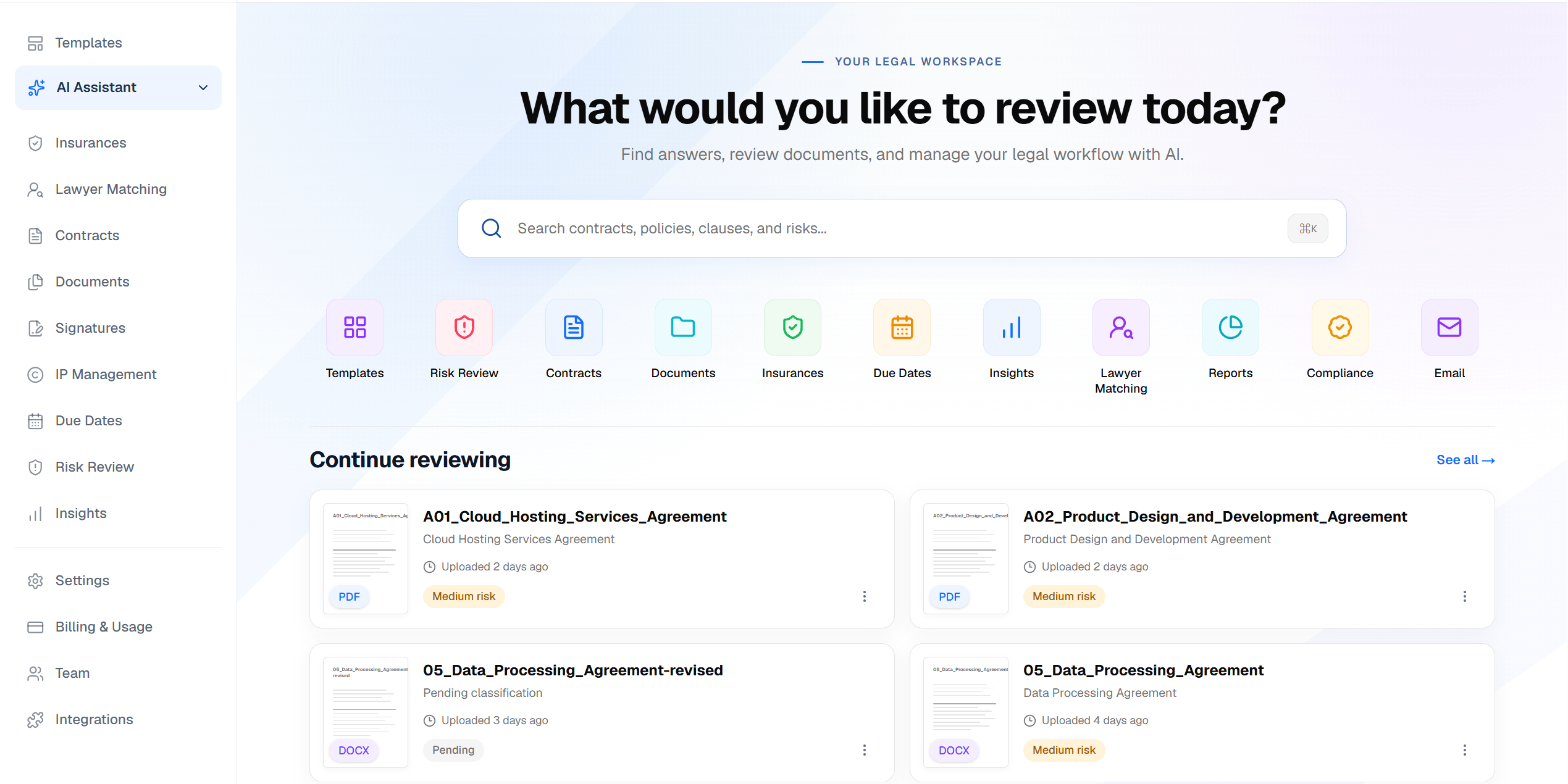
Document review
From legal documents to clear next steps.
Scan your documents, see the clauses that matter, and know what needs attention next.


Identify key risks
Scan legal documents for risky clauses and unfavorable terms.
Track obligations and deadlines
Keep extracted obligations and due dates in view.
Ask questions with cited answers
Get clear answers backed by your documents.
Your data is secure
Your documents stay private and protected.
Risks & clauses
Review extracted terms and explanations
Source references
Check answers against your documents
Obligations
Identify commitments and due dates
How it works
Three steps. That's it.
Step 01: Upload
Drop in a PDF, Word file, or photo.
Step 02: Review
See risks, key terms, and plain-English answers.
Step 03: Act
Track deadlines, get reminders, and sign.
Beyond the first review
Keep the work moving after you understand the document.
Bring document storage, obligations, creation, signatures, and collaboration into the same workspace.
- Document management
A vault that stays organized
Keep uploaded and generated documents together. Search, filter, and use folders to find the right record.
- Deadlines & reminders
Important dates in view
Review extracted obligations and due dates. Use in-app notifications and email reminders to keep upcoming commitments visible.
- Document creation
A starting point for new documents
Use guided templates to create documents, then save them to your vault for processing and review.
- E-signatures
Move documents toward signature
Prepare signature requests, track signing progress, and retrieve completed documents through the BoldSign integration.
- Team collaboration
A workspace for your team
Invite colleagues, assign workspace roles, and bring shared documents into one business workspace.
- IP management
Keep intellectual property rights in view
Review ownership, assignments, and licensing rights extracted from your agreements. Keep source evidence and your corrections together in one register.
Built around your documents
Personal decisions. Shared responsibilities.
A focused workspace for the documents people and businesses need to understand, organize, and act on.
Individuals
Understand before you commit.
Review employment agreements, leases, and personal contracts. See important terms and ask questions before deciding your next step.
- Employment agreements
- Rental terms
- Personal documents
Businesses & teams
Keep shared legal work in view.
Organize vendor, customer, and employee agreements in a shared workspace. Review risks and obligations, and keep colleagues working from the same records.
- Shared documents
- Workspace roles
- Obligation tracking
Insurance documents
Look beyond the policy title.
Review policy summaries, extracted coverage dates, exclusions, and obligations alongside the source document.
- Policy intelligence
- Coverage dates
- Exclusions & obligations
Security & responsible AI
Private documents. Clear boundaries.
Understand how your files are stored, accessed, processed, and removed.
Private document storage
Original files are stored in a private bucket. File viewing uses temporary signed links rather than public URLs.
Workspace access controls
Document access is governed by account identity, workspace membership, and permissions.
A clear processing model
Document content is sent to configured OCR and AI providers for extraction and analysis. Private storage does not mean processing stays entirely inside the platform.
Deletion you control
Delete documents and their associated analysis. Private-file cleanup can be queued for retry when storage deletion is unavailable.
Information to support your decisions
AI-generated analysis can contain errors or miss important details. Check the source document and seek qualified legal advice for important decisions. LegallyBinding.AI is not a law firm.
Lawyer discovery
Need a lawyer? We'll point you to one.
Reviewed your document and need professional advice? Explore lawyers who may be relevant to your matter.
Explore lawyer discoveryFind relevant Nevada candidates
Practice area • Location • License records
Start with the legal issue
Use the legal area identified in your document analysis, or choose a practice area yourself.
Add location context
Use your ZIP code or share your location to help rank relevant Nevada candidates.
Understand the recommendation
Review anonymized candidates, match reasons, and available license-verification information.
Discovery currently covers Nevada and displays anonymized candidates from license records. Candidates are not necessarily enrolled with or endorsed by LegallyBinding.AI. Direct connection and booking are not currently available.
Common questions
Clarity before you begin.
Understand what the platform does, where AI stops, and when professional legal expertise begins.
Is LegallyBinding.AI a law firm?
No. LegallyBinding.AI provides AI-generated document analysis and information. It does not create an attorney-client relationship or replace advice from a licensed lawyer.
How does the AI use my documents?
Configured OCR and AI providers process document content to extract clauses, risks, obligations, and dates, and produce summaries and document-grounded answers. Check the source before relying on an answer.
Can the AI make legal decisions for me?
No. It helps you understand information and identify areas that may need attention. A qualified lawyer should review important legal decisions.
How does lawyer matching work?
Current discovery ranks anonymized Nevada lawyer candidates by practice area and location, using available license records. It does not currently provide direct introductions or bookings.
Can I delete my documents?
You can delete documents and their associated analysis from your workspace. Private-file cleanup is retried when storage deletion cannot complete immediately.
What can I upload?
PDF, DOCX, JPG, and PNG files are supported. Scanned documents and images use OCR to extract text before analysis.
Can I work with a team?
Business workspaces support invitations and access roles so colleagues can work with shared documents.
Can I create and sign documents?
Guided templates help you create documents and save them to the vault. The BoldSign integration supports signature requests, progress tracking, and completed documents.
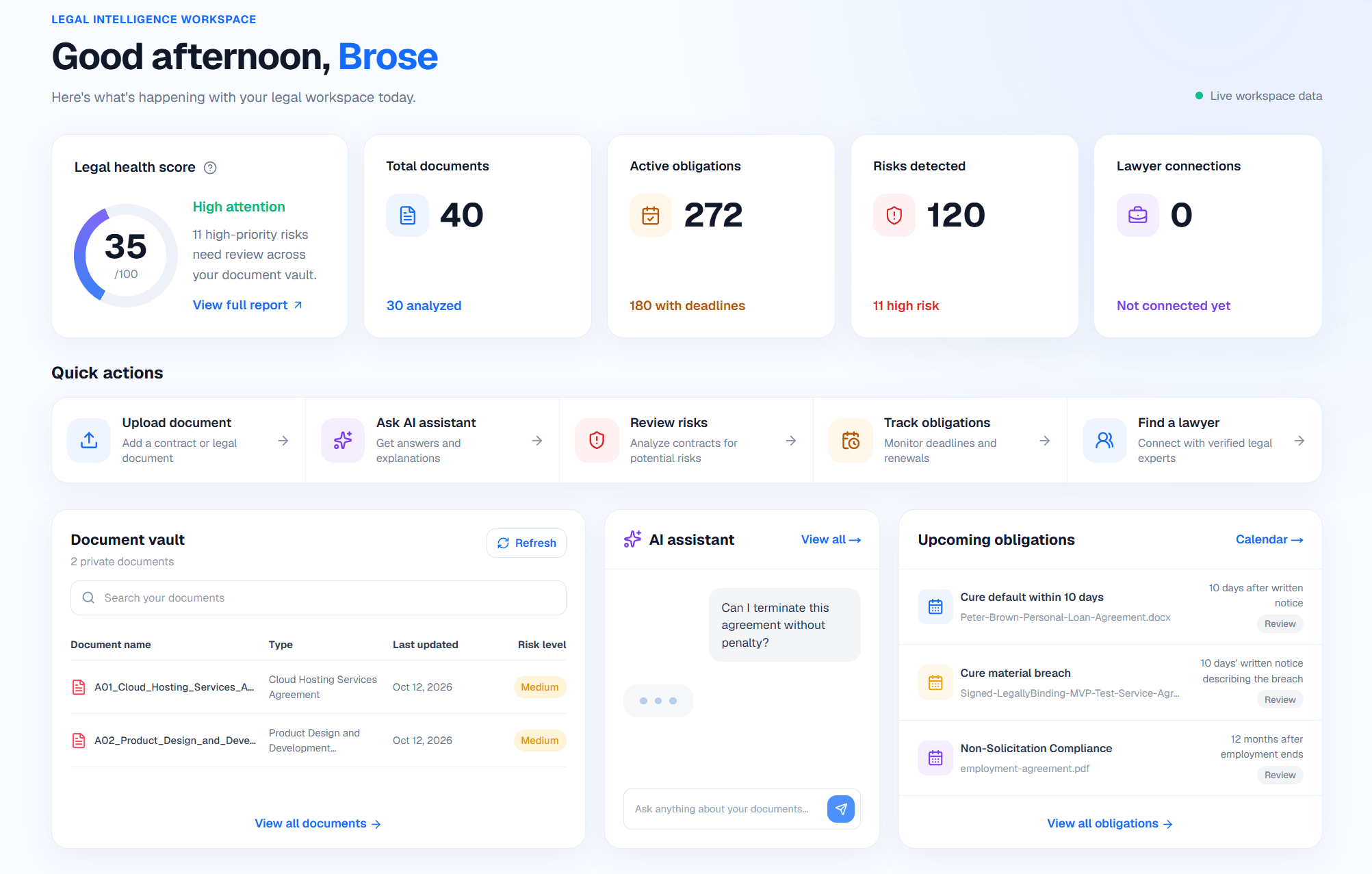
Legal intelligence workspace
See what needs attention at a glance.
Track document health, risks, obligations, and the next action from one clear legal workspace.
Bring your documents into focus.
Organize your files, understand important terms, and keep the next steps in view from one workspace.